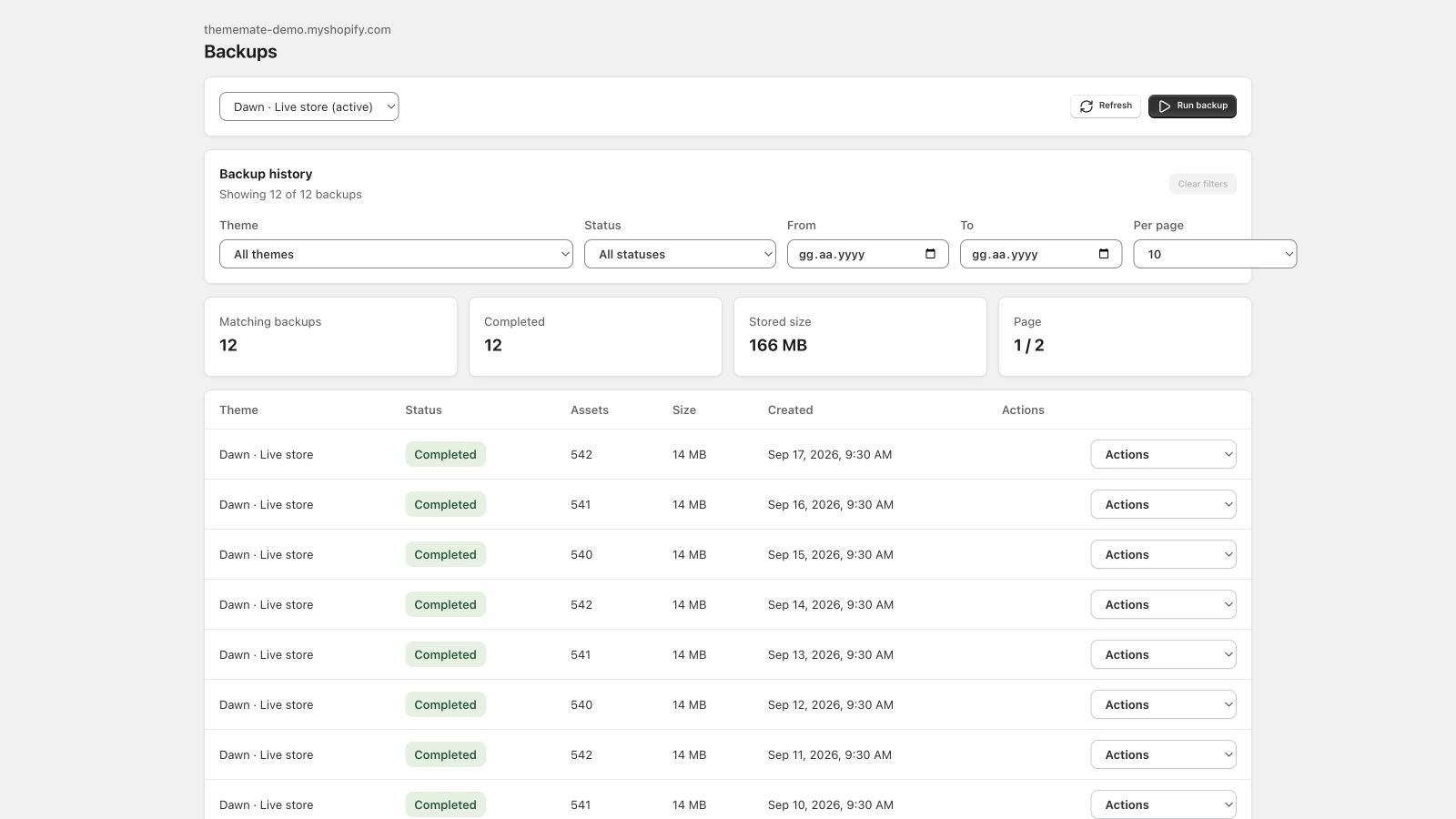
Find the snapshot you need
Filter your history by theme, date, and status. Check file counts and sizes before downloading a completed backup.
Theme backups inside Shopify Admin
Create snapshots before edits, keep a scheduled backup history, and download your theme as a ZIP. When you need an older version, preview it before publishing.
$4.99/month · 3-day trial · Billing through Shopify
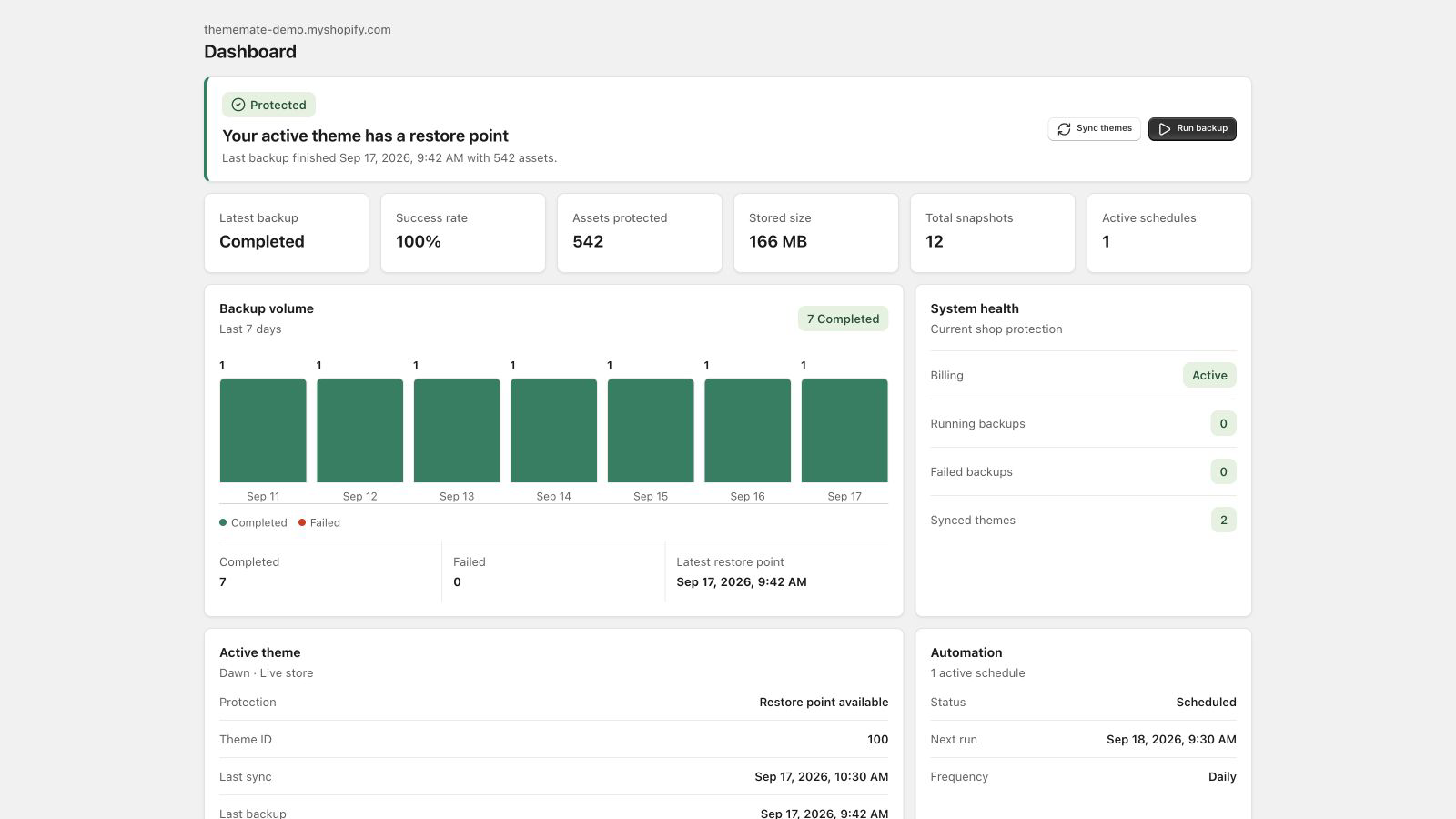
See how it works
Follow the dashboard, backup history, schedules, restore guidance, and activity log. English narration with captions.
Recorded application views with illustrative demo data. Theme files and settings only.
Before an edit. Before a launch. Before a handoff.
Keep the theme state before changing layouts, adding app code, or handing work to a designer.
Filter your history by theme, date, and status. Check file counts and sizes before downloading a completed backup.
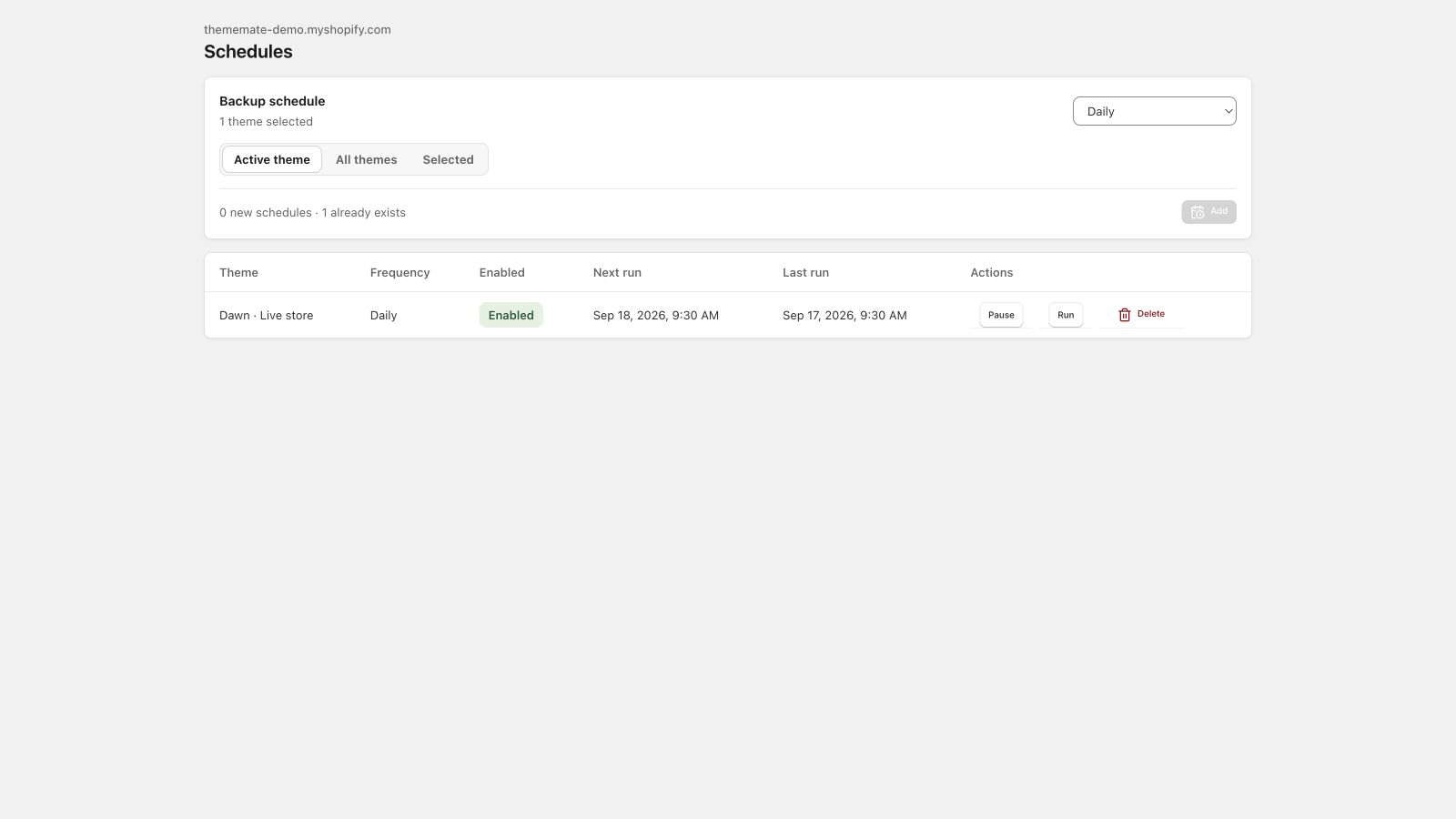
Choose a schedule from hourly to monthly. Pause a schedule or run it before your next theme change.
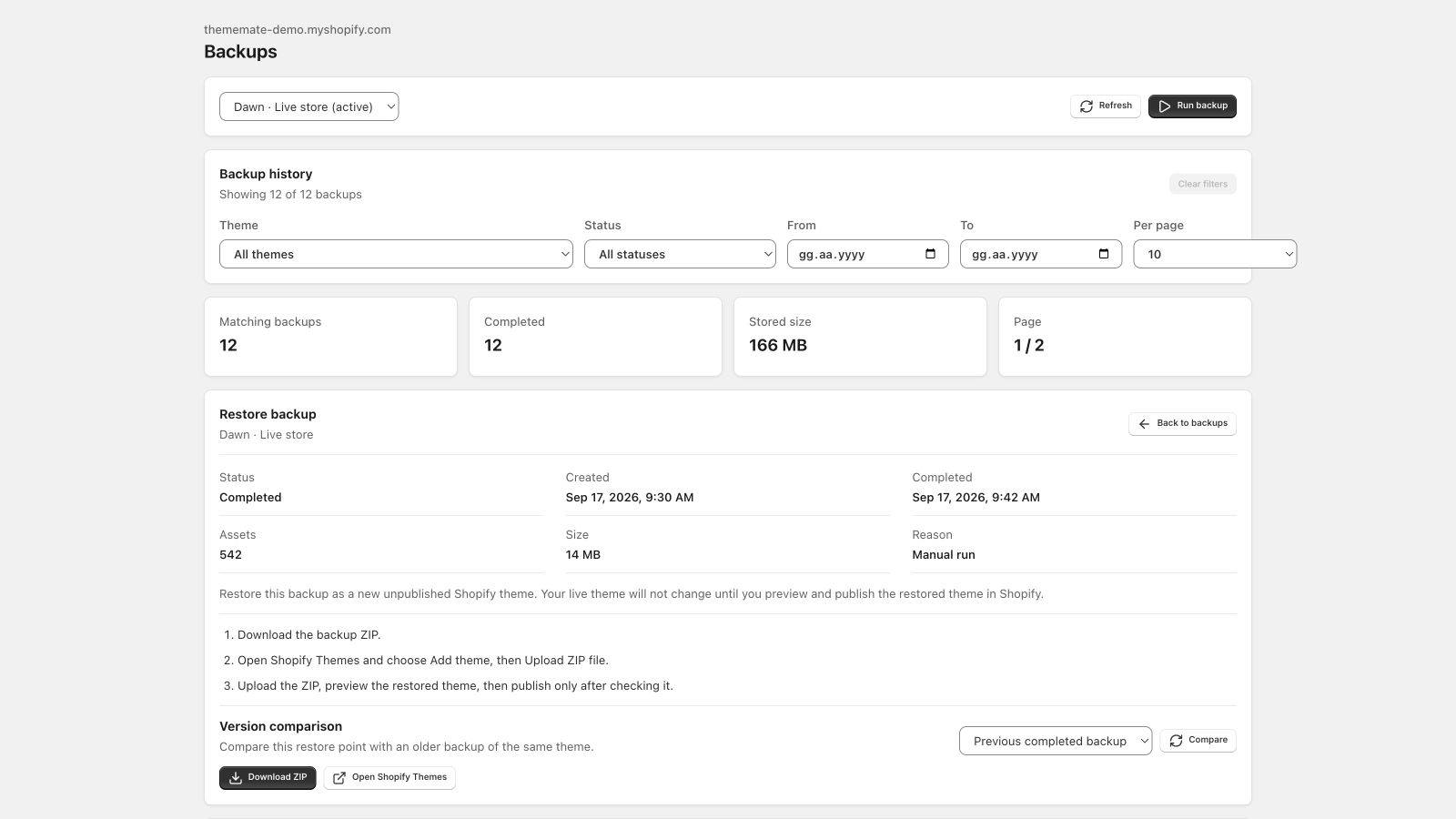
Download a theme ZIP, upload it as an unpublished Shopify theme, and check the result before making it live.
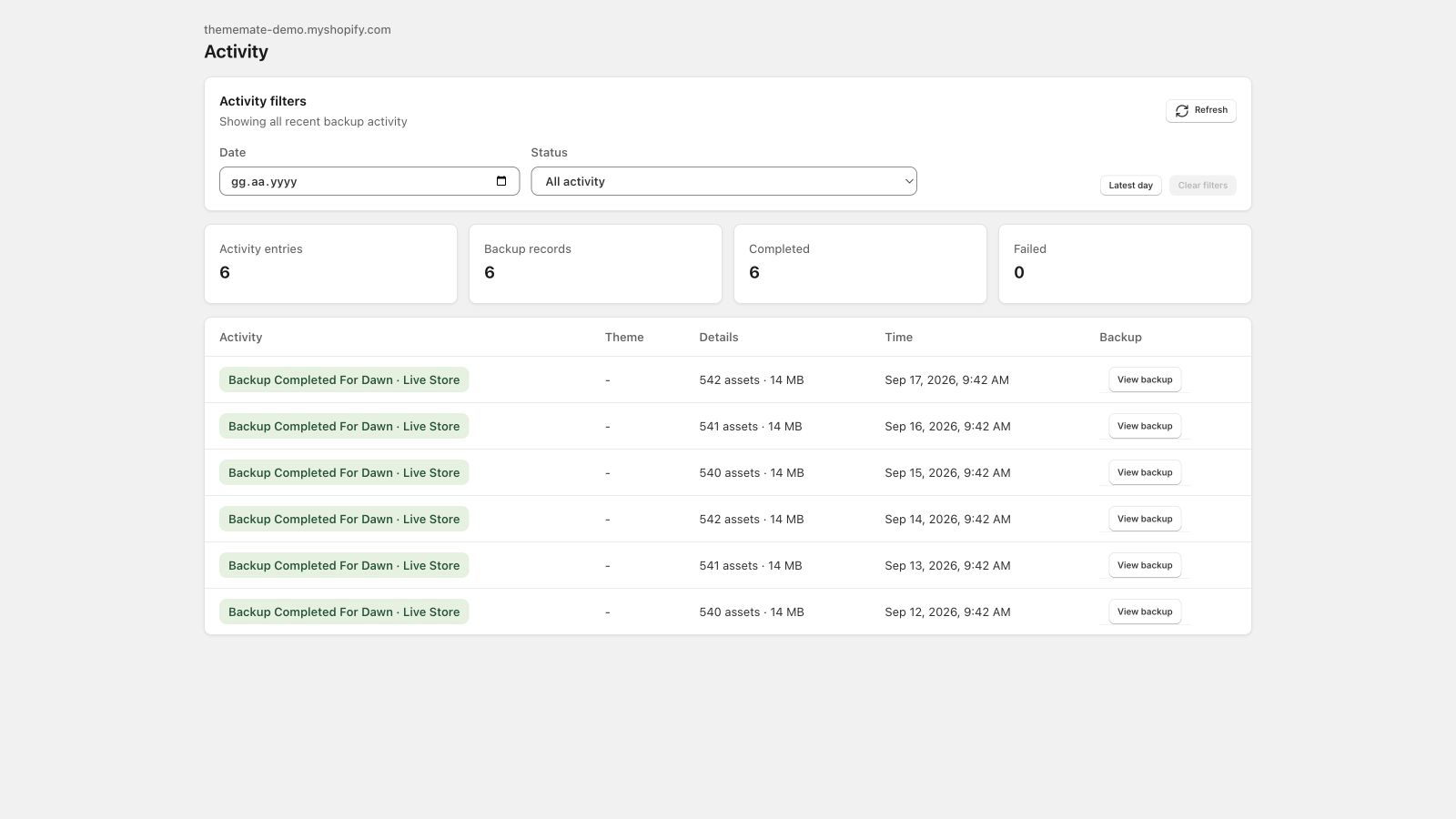
Review theme sync and backup activity. Check the status of a snapshot before relying on it as a restore point.
You control the restore
ThemeMate provides the archive and instructions. Upload the ZIP through Shopify as an unpublished theme, review your storefront, and choose when to publish. Your live theme is not overwritten automatically.
Read the restore guideSimple Shopify billing
Approve your subscription through Shopify. Manage your plan from Shopify Admin.
ThemeMate protects Online Store theme files and settings. It does not back up products, orders, or customers.
Or $49.99/year · USD
Before you install
Theme files and settings: sections, snippets, templates, assets, config, locales, and theme code. Products, orders, customers, and other store data are not included.
No. Download the ZIP and upload it to your Shopify theme library as a new unpublished theme. Preview and check it before you decide to publish.
Yes. Compare completed snapshots of the same theme to identify added, changed, removed, and unchanged files.
Yes, by downloading the ZIP and uploading it yourself. ThemeMate does not directly connect to Google Drive, Dropbox, GitHub, or Amazon S3.
Choose hourly, every 6 hours, every 12 hours, daily, weekly, or monthly. A daily schedule is created during initial setup after plan approval.
Open Help inside the app to send a support request, or use the contact page. Our guides explain backups, ZIP downloads, comparison, and the restore process.
Before the next theme change